Classic Drum: play drums
Kolb AppsMusic
4.61.21K Reviews
- Version
- 8.54.10
- Installs
- 10.00M
- Age Rating
- Everyone
Screenshots
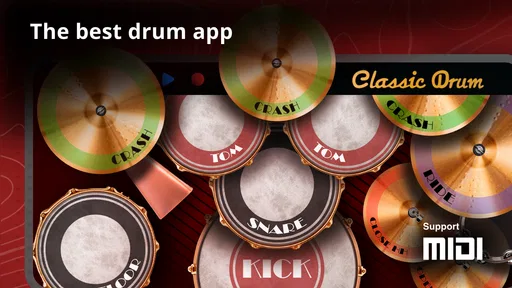
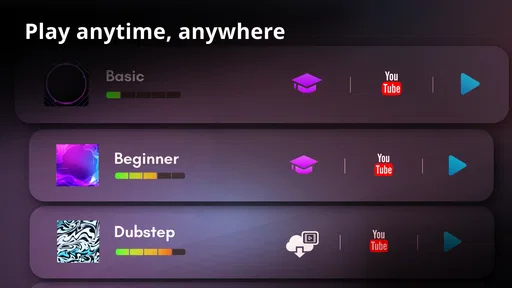
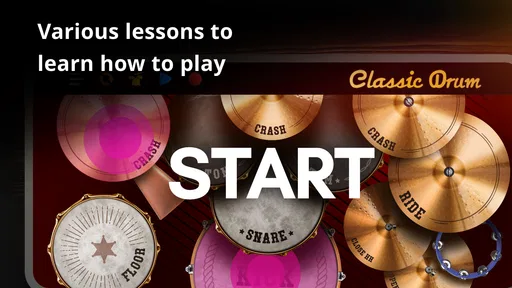
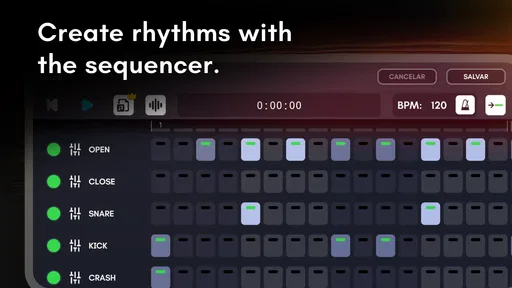
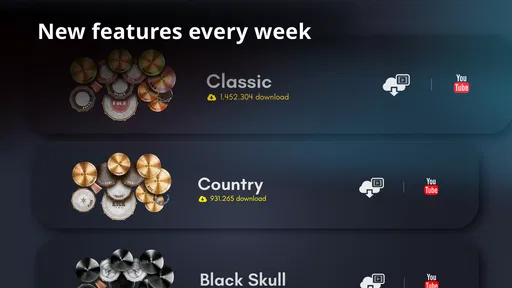
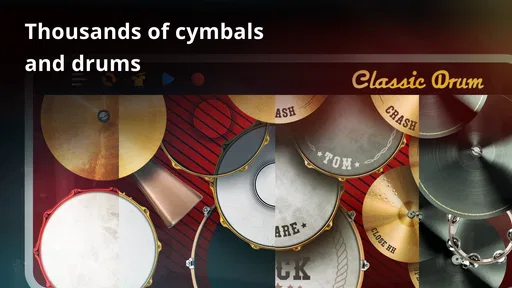
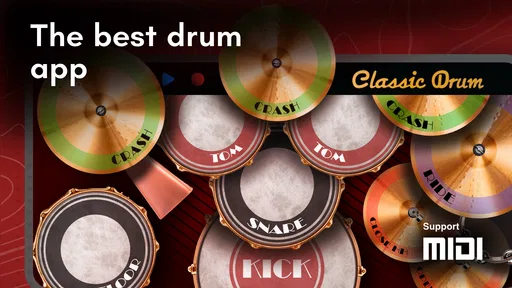
Our Review of Classic Drum: play drums
 Analysis by Appyee
I reach for a drum app when I want to test a rhythm without setting up an instrument, and Classic Drum: play drums is most useful in exactly that kind of moment. It turns a phone or tablet into a playable percussion surface, so I can tap out an idea during a quiet break or get a feel for a beat before sitting at a real kit. It is a music game from Kolb Apps, free to download, and rated for Everyone. The appeal is immediate: open it, put your fingers to work, and see whether the rhythm in your head holds together.
Small goals that make it easy to begin
The first goal is not mastering a song or clearing a complicated challenge. It is simply finding a comfortable way to play. I start with a basic pulse, then try adding a snare or cymbal accent without losing the beat. That makes the opening experience approachable for someone who has never drummed, while still leaving room for a player who already understands rhythm to experiment.
On a phone, I find it helps to begin with short patterns rather than trying to imitate a full performance. A steady kick-and-snare groove is easier to coordinate on a touchscreen, and it quickly shows whether the drum sounds respond where I expect. Once that feels natural, I can add fills or vary the accents. This is a practical way to keep early sessions satisfying instead of turning them into a test of finger speed.
Progress you can hear and review
Because the main activity is playing, progress is less about a long chain of visible unlocks and more about what I can do with the kit. I notice improvement when I keep a pulse steady, place a fill cleanly, or make a pattern sound deliberate rather than random. The recording option is especially useful here: I can listen back and catch a rushed ending or an accent that sounded better in my head than it did in the take.
That replay habit is a better measure of growth than simply playing for longer. I recommend recording a short groove, listening once for timing, and then trying it again with one change at a time. If I alter the beat, the sound settings, and my hand pattern all at once, I cannot tell which change helped. Treating each recording as a small experiment keeps practice focused and makes the app more than a place to tap at random.
The Beat Goes On: Features That Stand Out
One of the things that immediately caught my attention is the app's intuitive interface. Classic Drum: play drums offers a seamless user experience that makes tapping out beats feel incredibly natural. The app includes various drum kits, each with its unique sound, ensuring you never get bored. From rock to jazz, the diversity is impressive.
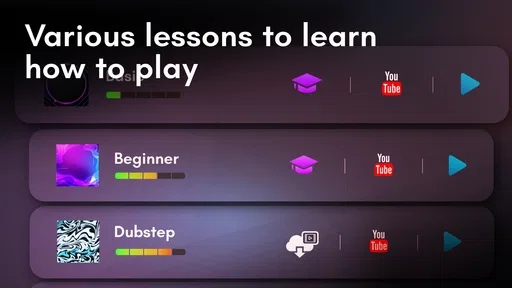
The app doesn’t just let you play around with drums; it also offers a learning mode. This is a game-changer for newbies trying to get a grip on rhythm and technique. You'll find step-by-step tutorials that guide you through basic to advanced drumming skills. It’s like having a drum teacher in your pocket!
Choosing a pace that suits your hands
Touchscreen drumming has its own learning curve. A pattern that feels easy on a physical kit may be awkward when several fingers share a small display, especially on a compact phone. I get better results when I slow my ideas down and use compact motions rather than striking the screen forcefully. A tablet can give the playing surface more breathing room, while a phone is easier to carry and better for brief practice. Neither replaces drumsticks and a full kit, but each supports a different kind of session.
The challenge I enjoy is making a simple groove feel consistent, not trying to cram in as many hits as possible. Fast, dense patterns can be fun for a moment, yet they are hard to control on glass and may not teach much about timing. If I want a useful practice routine, I set a modest goal for the session: hold a beat, add one accent, then record a clean ending. That keeps the difficulty under my control instead of letting the screen encourage aimless tapping.
Customizing Your Kit
Customization is king here! You can tweak and tune each drum to fit your personal style. Want a deeper bass or a sharper snare? No problem. The app allows you to adjust the sound settings easily, making it perfect for experimenting with different styles and genres.
Another cool feature is the recording option. You can record your sessions and listen back to your creations or even share them with friends. It's a fantastic way to track your progress or just show off your latest rhythm masterpiece.
What’s the Sound Quality Like?
Now, you might be wondering about sound quality. I was pleasantly surprised to find that the audio output is impressively realistic. Whether you’re using headphones or your device’s speakers, the sound is crisp and clear, which is crucial if you're serious about drumming.
"The audio quality is so good, you might forget you're not hitting real drums!"
Where this fits among music apps
Compared with a rhythm game built around fixed prompts or a scrolling track, this is a more open-ended way to play: I choose the beat and explore it directly on the kit. That freedom is a strength if I want to improvise or hear how a groove changes with different drum sounds. It is less suitable if I need a structured scoring system, a metronome-led curriculum, or a song library that tells me exactly what to play next. For those goals, a dedicated lesson tool or a rhythm game with explicit timing challenges may be a better fit.
It also occupies a different space from a full digital audio workstation. The recording option makes it possible to revisit a performance, but I would use a specialized music-production app when I need detailed arranging, layered tracks, or a polished finished recording. Here, the enjoyable part is the immediate connection between tapping and hearing a drum sound. Knowing that distinction helps set expectations: this is a handy practice and play surface, not a replacement for every tool a musician might use.
Room for Improvement?
While the app is pretty solid, there's always room for improvement. A couple of more advanced drum kits would be a welcome addition for those who are looking for a wider variety of sounds. Additionally, including some more in-depth tutorials could be beneficial for users who want to dive deeper into specific techniques.
Despite these minor gripes, the app is continually updated, so who knows what might be added in the future?
When I would use it—and when I would skip it
A realistic use is a short break at home: I have a rhythm in mind, open the app, tap it out quietly through headphones, and record a version before the idea disappears. I can then replay it later or share the take. That quick loop—play, listen, adjust—is where the app earns its place for me. It is also a low-pressure way for a beginner to explore what a kick, snare, and cymbal contribute to a beat before deciding whether to pursue drumming further.
I would skip it if my main need were realistic physical practice, detailed instruction from a teacher, or a dependable way to build a complete studio track. Touch input cannot reproduce stick rebound, limb coordination, or the feel of a real bass pedal, and a small screen can limit comfortable two-handed playing. The app is most convincing as an accessible musical sketchpad and casual practice companion; it is not a shortcut around the work of learning an acoustic kit.
There is also a useful trade-off in the free-to-start model. The game is free, while in-app purchases range from $0.99 to $18.99 per item. I would begin with the available experience and decide whether I actually need anything extra rather than treating purchases as a requirement. The game has a 4.5 average from around 122,000 ratings and more than 10 million installs, which suggests it has broad appeal, but those numbers do not change the practical question: does tapping on a screen suit the way I want to make music?
Why You Should Download It
If you're still on the fence, let me give you a gentle nudge. It is not just a tool; it’s an experience. Whether you're looking to kill some time or seriously amp up your drumming skills, this app is a fantastic avenue to explore rhythm and sound.
It’s designed to be user-friendly and engaging, and it’s clear that the developers put a lot of thought into making it as comprehensive as possible. Plus, with its free version offering so much, you really have nothing to lose by giving it a go.
The game first appeared on May 14, 2012, and its current version is 8.50.4, with Android 7.0 as the minimum operating-system requirement. I see that longevity as a reason it is easy to find and try, not proof that it will suit every musician. If you want an approachable way to tap out beats, hear different kit sounds, and review a quick recording, it is worth exploring. If your priority is a structured course or realistic instrument technique, I would choose a more specialized option instead.
So, what are you waiting for? Hit that download link and start drumming your heart out. After all, life's too short not to make some noise!
Verdict
Strengths of Classic Drum: play drums
- Realistic drum sounds enhance the experience.
- Highly customizable drum kits.
- Intuitive interface for easy navigation.
- Offline mode available for practice.
- Supports multi-touch functionality.
Limitations of Classic Drum: play drums
- Ads can be intrusive during gameplay.
- Limited free features; in-app purchases needed.
- Some users report occasional lag.
- No option to export recordings.
- Basic tutorials for beginners are lacking.
Other Releases by Kolb Apps
View All
Real Drum electronic drums set
Music4.5

Real Guitar: acoustic electric
Music4.3

Real Piano electronic keyboard
Music4.5

Real Bass electric bass guitar
Music4.5
Similar Picks in This Category
View All
Tiles Hop Music & Ball Game
AMANOTES PTE. LTD.4.3

Magic Tiles 3™ - Piano Game
AMANOTES PTE. LTD.4.6

Real Piano
Bilkon3.7

Piano Game: Classic Music Song
Dream Tiles Piano Game Studio4.0

Smash Colors: Music Ball Rush
BADSNOWBALL HONGKONG LIMITED4.2

Piano Music Go-EDM Piano Games
Joy Journey Music Games4.5
Frequently Asked Questions
What features does Classic Drum: play drums offer to users?
Classic Drum: play drums provides users with a realistic drumming experience on their mobile devices. It features a variety of drum kits, high-quality sound samples, and customizable drum pads. Users can also record their sessions, play along with their favorite tracks, and share their creations with friends. It's perfect for both beginner and experienced drummers.
Is Classic Drum: play drums suitable for beginners?
Yes, Classic Drum: play drums is designed to be user-friendly for beginners. It includes tutorials and practice modes to help new users learn basic drumming techniques. The app's intuitive interface and adjustable difficulty levels make it easy for beginners to start playing and gradually improve their skills.
Does Classic Drum: play drums require an internet connection to function?
Classic Drum: play drums does not require a constant internet connection for most of its features. However, accessing certain features, such as downloading additional drum kits or sharing recordings online, may require connectivity. You can enjoy basic drumming sessions and practice offline without any issues.
Are there any in-app purchases in Classic Drum: play drums?
While Classic Drum: play drums is free to download and use, it does offer in-app purchases. These may include additional drum kits, premium features, or ad removal options. Users can enhance their experience by purchasing these optional items, but they are not necessary to enjoy the core functionalities of the app.
Can Classic Drum: play drums be used on both Android and iOS devices?
Yes, Classic Drum: play drums is available on both Android and iOS platforms. The app is optimized for a wide range of devices, ensuring smooth performance and high-quality sound. Users can download it from the Google Play Store for Android or the App Store for iOS, making it accessible to a broad audience.
Play our best games!


